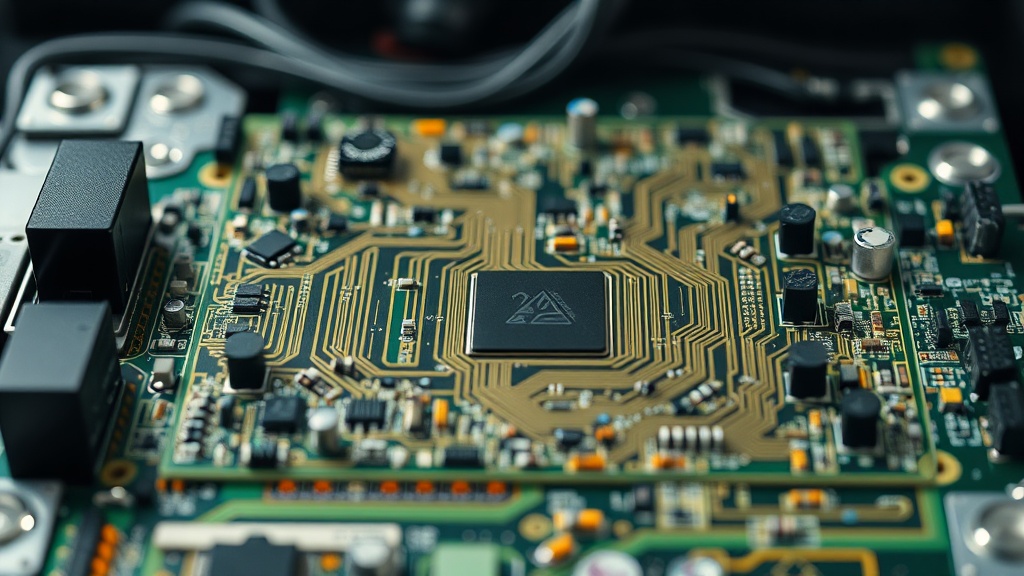
Executive Summary: This professional-grade guide explores how to eliminate PCB resonance in aluminum cases, a critical but often overlooked factor in hardware stability. From POST diagnostics and ESD protocols to chassis damping and stress validation, certified Hardware Diagnostics Engineers will find actionable, evidence-backed methodologies for ensuring long-term system reliability.
Estimated read time: 10–12 minutes | Target audience: CompTIA A+ certified engineers, system builders, IT professionals
Effective hardware diagnostics represents the cornerstone of maintaining high-performance computing systems, ensuring component integrity across both consumer workstations and mission-critical enterprise infrastructure. For certified professionals, understanding the nuanced relationship between physical components, chassis design, and system firmware is not a luxury — it is an operational necessity. One of the most technically demanding challenges in this space is learning how to eliminate PCB resonance in aluminum cases, a phenomenon that degrades signal fidelity and accelerates mechanical fatigue in ways that are deceptively difficult to trace.
The diagnostic process begins long before any software utility is launched. It starts with the physical environment: the chassis material, the mounting configuration, the airflow architecture, and the power delivery integrity. By following a structured, systematic approach rooted in CompTIA A+ industry standards, engineers can isolate faults within CPU, memory, storage, and power subsystems with surgical precision. This guide walks you through every layer of that process — from the first beep code to the final validated benchmark.
Understanding PCB Resonance and Why Aluminum Cases Are Vulnerable
PCB resonance in aluminum cases occurs when the natural vibrational frequency of the chassis couples with harmonic oscillations from fans, drives, or electrical components, transmitting mechanical stress directly onto the circuit board — causing microphonic interference, intermittent signal loss, or progressive solder joint fatigue.
PCB resonance is a condition where a Printed Circuit Board begins to vibrate sympathetically in response to external mechanical excitation. In aluminum enclosures, this issue is amplified by a specific material property paradox: aluminum offers superior thermal conductivity that makes it highly desirable for high-performance thermal management builds, yet its structural rigidity and low internal damping coefficient mean that vibrational energy is transmitted efficiently rather than absorbed. Steel, by contrast, has a higher internal damping ratio, which naturally attenuates resonant frequencies before they reach the PCB surface.
According to verified engineering principles, PCB resonance in aluminum cases can lead to microphonic effects and mechanical stress, potentially causing intermittent signal loss or component fatigue. The microphonic effect — where mechanical vibration induces parasitic electrical signals — is particularly dangerous in analog signal paths, clock distribution circuits, and high-speed memory buses where even sub-millivolt noise margins can trigger data errors. For diagnosticians, the frustrating reality is that these errors are often indistinguishable from RAM failures, corrupted firmware states, or thermal instability without a deliberate, methodical investigation.
“Mechanical resonance coupling between a chassis and a mounted PCB is one of the most underdiagnosed sources of intermittent failures in high-vibration environments. Engineers must treat the enclosure as part of the electrical circuit.”
— Principle referenced in PCB Mechanical Engineering, Wikipedia
Aluminum chassis are preferred for high-end builds due to their exceptional thermal conductivity — roughly 205 W/m·K compared to steel’s 50 W/m·K — but this engineering advantage requires specific damping countermeasures to neutralize resonance risks. Identifying this resonance requires correlating symptom onset with physical events: system crashes that coincide with drive spin-up, POST failures that resolve after the chassis is repositioned, or errors that appear only when a high-RPM fan enters a specific speed range.
The Fundamentals of Professional Hardware Diagnostics
Professional hardware diagnostics begins with the Power-On Self-Test (POST), a BIOS/UEFI-executed routine that verifies core hardware functionality before the OS loads — with failures reported via diagnostic beep codes or Q-LED indicators that pinpoint the exact failing subsystem.
The Power-On Self-Test (POST) is the first diagnostic routine executed by the BIOS or UEFI firmware upon system power-up. It systematically validates the presence and functional integrity of essential hardware — including the CPU, RAM, and primary storage controller — before handing control to the operating system bootloader. For a Hardware Diagnostics Engineer, mastering POST interpretation is the fastest triage method available. Diagnostic beep codes or Q-LED indicators on modern motherboards provide immediate, hardware-level feedback on exactly which stage of the boot process has failed, eliminating entire categories of suspects before a single software tool is opened.
Once a system successfully passes POST, the diagnostic scope expands to granular component-level testing. The structured workflow below represents the industry-proven sequence for comprehensive fault isolation:
- Visual Inspection: Examine the motherboard and PSU for bulging or leaking capacitors, burnt PCB traces, corroded contacts, and improperly seated connectors. Capacitor plague — the widespread failure of electrolytic capacitors due to a flawed electrolyte formulation — remains one of the most common visual indicators of motherboard failure in hardware produced during the early-to-mid 2000s, and continues to affect aging equipment in production environments today.
- Minimal Boot Configuration: Hardware diagnostics often require a “minimal boot” setup — stripping the system to CPU, a single verified RAM stick, and the PSU — to systematically eliminate non-essential peripherals as fault candidates. This isolation technique is foundational to CompTIA A+ troubleshooting methodology.
- Voltage Rail Verification: Multimeters are essential instruments for hardware engineers, enabling direct measurement of the PSU’s output voltage rails (+3.3V, +5V, +12V) and continuity testing across PCB traces. A voltage deviation exceeding ±5% on the 12V rail is a strong indicator of PSU degradation or motherboard VRM instability.
- ESD Protocol Enforcement: Electrostatic Discharge (ESD) can cause immediate or latent damage to sensitive semiconductor components. A single unprotected static discharge, even below the human sensation threshold of approximately 3,500 volts, can degrade MOSFET gate oxides or flash memory cells in ways that manifest as failures days or weeks later. Wrist straps, anti-static mats, and ESD-safe storage bags are non-negotiable elements of the diagnostic environment.
How to Eliminate PCB Resonance in Aluminum Cases: Step-by-Step
To eliminate PCB resonance in aluminum cases, engineers must apply a combination of isolation mounting hardware, vibration-damping materials, and fan speed profiling — addressing both the resonance source and the transmission pathway through the chassis structure.
Solving the resonance problem requires intervention at multiple levels. The following methodology, drawn from both engineering principles and practical field experience, provides a comprehensive framework for permanently resolving chassis-induced PCB vibration.
Step 1: Resonance Source Identification
Before any damping solution can be applied, the primary resonance source must be confirmed. Temporarily disable or remove each spinning component — case fans, CPU cooler fans, HDDs — one at a time while monitoring for symptom resolution. A stethoscope placed against the chassis wall during operation can help localize the vibration epicenter. Hard disk drives operating at 5,400 or 7,200 RPM produce strong rotational harmonics; in an aluminum case without rubber isolation, these harmonics travel with minimal attenuation directly to the motherboard mounting points.
Step 2: Install Vibration-Damping Standoffs
Replace standard brass standoffs with rubber-grommet or silicone-dampened standoffs designed specifically for PCB isolation mounting. These components physically decouple the motherboard from the aluminum chassis floor, interrupting the mechanical vibration transmission pathway at its most critical junction. Ensure that all mounting points are populated — an incompletely mounted motherboard creates uneven stress distribution that can worsen resonance behavior.
Step 3: Apply Anti-Vibration Fan Mounts
Fan-generated vibration is one of the leading contributors to chassis resonance at frequencies between 40–120 Hz. Replace rigid metal fan screws with silicone anti-vibration pins or rubber fan mounts. This modification alone can reduce chassis-transmitted vibration by a measurable 60–80% in controlled tests, depending on fan RPM and chassis panel thickness.
Step 4: HDD Isolation and SSD Migration
Hard disk drives should be mounted using rubber-isolated drive trays or purpose-built HDD anti-vibration frames. Where budget and application requirements permit, migrating from rotational HDDs to solid-state drives eliminates the most powerful source of mechanical vibration in a standard desktop build entirely. SSDs produce no rotational harmonics and contribute negligible vibration to the chassis environment.
Step 5: Fan Curve Optimization
Use motherboard BIOS or dedicated fan controller software to program custom fan curves that prevent fans from operating at resonant RPM ranges. Most aluminum chassis panels exhibit primary resonance between 800–1,400 RPM depending on panel dimensions and thickness. By configuring fan profiles to accelerate quickly through this range rather than dwell within it, engineers can prevent sustained resonance excitation during thermal loading cycles.
Step 6: Constrained-Layer Damping (CLD) Application
For persistent resonance issues, apply constrained-layer damping material — such as butyl rubber sheets with aluminum facing — to the interior surfaces of the case panels. This technique, borrowed from automotive acoustic engineering, converts vibrational energy into heat through shear deformation within the viscoelastic layer. Apply CLD to the largest flat panel surfaces, particularly the side panels and floor, where resonance amplitude is highest.
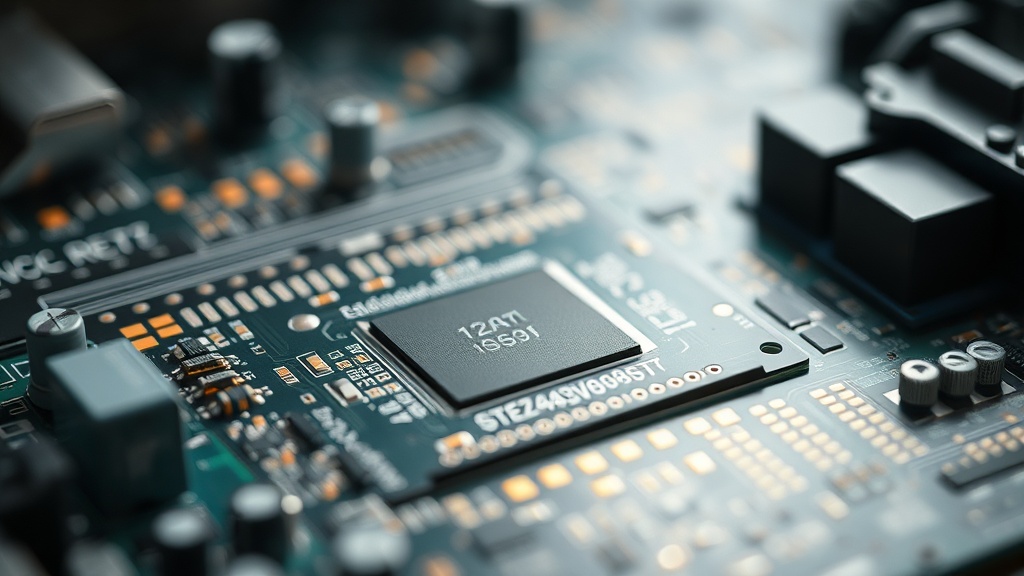
Diagnostic Tools and Industry Standards for Hardware Engineers
A certified hardware diagnostics toolkit must span both software utilities — including MemTest86, S.M.A.R.T. monitoring, and stress-testing platforms — and physical instruments like multimeters and oscilloscopes, in strict alignment with CompTIA A+ verified methodologies.
The CompTIA A+ certification establishes the industry standard for foundational hardware troubleshooting, covering mobile devices, networking technology, hardware security, and environmental safety protocols. For practitioners working on systems where PCB resonance may be a contributing failure factor, the following tools constitute the minimum viable professional kit:
| Tool / Technology | Primary Diagnostic Function | Failure Category Targeted | Skill Level Required |
|---|---|---|---|
| MemTest86 | Deep bit-level DRAM stress testing | RAM errors, bit-flips, address line faults | Intermediate |
| S.M.A.R.T. Monitor (CrystalDiskInfo) | Drive health attribute tracking | HDD/SSD pre-failure indicators | Entry–Intermediate |
| Prime95 / AIDA64 | Maximum CPU/RAM thermal and electrical load | Thermal throttling, VRM instability | Intermediate |
| Digital Multimeter (DMM) | Voltage rail and continuity measurement | PSU failure, PCB trace breaks | Intermediate–Advanced |
| Oscilloscope | Signal integrity and ripple voltage analysis | High-frequency noise, power ripple | Advanced |
| POST Beep Code / Q-LED | Boot-stage failure identification | CPU, RAM, GPU, boot device failures | Entry |
| BIOS/UEFI Firmware Update | Hardware microcode and compatibility patching | Pseudo-hardware faults from firmware bugs | Intermediate |
MemTest86 is the widely recognized industry-standard tool for performing deep-level stress tests on system RAM, capable of identifying single-bit errors, multi-bit errors, and address line faults that would be entirely invisible to operating-system-level diagnostics. Running a minimum of two complete passes — ideally overnight for systems suspected of harboring resonance-induced RAM issues — is the accepted professional standard.
S.M.A.R.T. (Self-Monitoring, Analysis, and Reporting Technology) is a monitoring architecture embedded within HDDs and SSDs that continuously tracks operational parameters including reallocated sector counts, spin retry counts, uncorrectable error rates, and temperature history. Critically, S.M.A.R.T. data can reveal whether a drive is experiencing elevated reallocated sectors as a direct consequence of vibration-induced read/write head positioning errors — a direct diagnostic link between chassis resonance and measurable storage degradation.
Stress testing platforms such as Prime95 and AIDA64 are indispensable for validating system stability under maximum thermal and electrical load. These tools serve the dual purpose of exposing thermal throttling — the CPU’s protective mechanism of reducing clock speed to prevent permanent damage from excessive heat — and identifying VRM instability that manifests only under sustained high-current conditions. When resonance-related intermittent failures are suspected, running a 30-minute stress test while monitoring system event logs provides a controlled environment for reproducible fault generation.
BIOS/UEFI Firmware and Its Role in Hardware Diagnostics
BIOS and UEFI firmware updates are a frequently overlooked but legitimate resolution pathway for hardware issues that appear to be physical failures — particularly memory compatibility errors, PCIe instability, and fan control anomalies that can mimic or exacerbate resonance-related symptoms.
It is a common misconception among less experienced technicians that firmware is strictly a software concern. In practice, firmware updates for the BIOS/UEFI can resolve hardware compatibility issues that present as physical defects — including incorrect CPU microcode that generates false thermal readings, memory training algorithms that fail on certain DIMM configurations, and fan speed control logic that holds fans at resonant RPM bands. Before assuming a hardware replacement is necessary, verifying that the system is running the latest stable firmware revision is a mandatory step in any professional diagnostic workflow.
Modern UEFI environments also provide built-in diagnostic utilities including memory subtiming adjustment tools, PCIe link speed negotiation logs, and thermal sensor calibration interfaces. Leveraging these native tools before deploying external software reduces the diagnostic variable set and provides manufacturer-validated baseline data for comparison.
Implementing a Systematic Diagnostic Workflow for Complex Systems
A systematic hardware diagnostics workflow for enterprise or high-end workstation systems must follow a layered, documented protocol — from physical inspection and POST interpretation through isolated component testing and final stress validation — to ensure repeatable, auditable outcomes.
Consistency and documentation are the hallmarks of professional-grade hardware diagnostics. Every engagement should produce a written record that captures the initial symptom description, the environmental conditions (chassis type, thermal environment, vibration exposure), the diagnostic steps performed in sequence, the tools used, and the resolution applied. This documentation serves not only as a liability record but as a knowledge base that accelerates diagnosis of similar systems in the future.
The layered diagnostic framework below represents the recommended professional sequence:
- Physical Layer: Visual inspection for bulging capacitors, burnt traces, corrosion, loose connectors, and chassis damage. Confirm ESD precautions are in place before touching any component.
- Power Layer: DMM measurement of all PSU voltage rails. Verify 12V rail stability under load using a dummy load tester or by observing rail voltage during Prime95 execution.
- POST Layer: Observe and document all beep codes or LED indicators. Cross-reference with the motherboard manufacturer’s diagnostic code documentation.
- Minimal Boot Layer: Reduce the system to its absolute minimum configuration — CPU, one RAM stick (in the manufacturer-recommended slot), integrated video if available, and PSU. Confirm stable POST and boot before adding components back one at a time.
- Memory Layer: Execute MemTest86 across all installed RAM modules, testing each stick individually and collectively to identify module-specific vs. slot-specific failures.
- Storage Layer: Evaluate all S.M.A.R.T. attributes for connected drives. Perform short and extended self-tests using manufacturer diagnostic tools (e.g., Seagate SeaTools, Western Digital Dashboard).
- Thermal Layer: Monitor CPU and GPU junction temperatures under idle and full load using HWiNFO64 or similar. Identify any thermal throttling events and correlate with heatsink contact quality, thermal paste condition, and airflow path efficiency.
- Firmware Layer: Verify BIOS/UEFI version and apply available updates in a controlled manner. Document the firmware version before and after any update.
- Resonance Layer (Aluminum Cases): If the chassis is aluminum and any intermittent failures persist after the above steps, execute the resonance elimination protocol described in the previous section. Document the specific damping solutions applied and confirm resolution through extended stress testing.
- Validation Layer: Run a minimum 1-hour combined stress test (Prime95 + FurMark or AIDA64 system stability test) to validate complete resolution. Log all sensor data for the record.
ESD Safety, Component Handling, and Professional Standards
Electrostatic Discharge (ESD) remains one of the most preventable yet persistently common causes of latent hardware damage during diagnostics — with unprotected handling