Executive Summary
A Hardware Diagnostics Engineer is a specialized IT professional responsible for identifying, isolating, and resolving failures within physical computing systems. This guide covers the core responsibilities, essential diagnostic tools, thermal management principles, and professional certification pathways required to excel in this high-demand field. Whether you are entering the industry or advancing your career, mastering systematic hardware diagnostics is the foundation of long-term success.
- Hardware diagnostics involves the systematic identification and resolution of physical component malfunctions.
- Industry-standard certifications such as CompTIA A+ provide a globally recognized framework for hardware professionals.
- Systematic testing with tools like MemTest86 and Prime95, combined with rigorous thermal management, ensures long-term system reliability.
What Is a Hardware Diagnostics Engineer?
Hardware diagnostics is the systematic process of identifying, troubleshooting, and resolving malfunctions within a computer’s physical components — spanning CPUs, memory modules, storage drives, power supplies, and printed circuit boards. A Hardware Diagnostics Engineer applies this methodology at a professional level to maintain system uptime, protect data integrity, and extend hardware lifecycle in enterprise environments.
Becoming a successful Hardware Diagnostics Engineer requires far more than surface-level familiarity with computer parts. The role demands a rigorous blend of theoretical knowledge — covering electrical engineering principles, material science, and firmware architecture — alongside hands-on technical proficiency developed through real-world troubleshooting scenarios. In modern enterprise environments where system downtime translates directly into financial loss, the hardware diagnostics engineer serves as the last line of defense against catastrophic infrastructure failure.
The scope of this role has expanded dramatically as computing hardware has grown more complex. Today’s engineers must understand multi-layer PCB architecture, non-volatile memory express (NVMe) storage behavior, high-density power delivery networks, and the nuanced interaction between firmware and physical silicon. This makes continuous education and hands-on lab experience non-negotiable components of a successful career in this field.
Core Responsibilities of a Hardware Diagnostics Engineer
The primary responsibility of a Hardware Diagnostics Engineer is to ensure every hardware layer operates within its specified parameters — monitoring voltage rails, clock speeds, and thermal outputs to detect early signs of degradation and prevent unplanned system failures before they escalate.
At its core, this role requires an engineer to own the full diagnostic lifecycle: from initial symptom identification through root cause analysis to verified resolution and preventive documentation. Engineers monitor voltage rails using precision instruments, analyze clock speed anomalies that can indicate CPU or memory instability, and track thermal outputs to identify components operating outside their safe temperature ranges.
Effective hardware diagnostics require a combination of physical inspection, multimeter testing, and software-based telemetry analysis. A purely software-centric approach is insufficient — physical inspection remains indispensable for detecting capacitor bulge, cold solder joints, burnt traces, and connector corrosion that automated tools cannot flag. Similarly, relying solely on physical inspection without complementary software telemetry misses subtle patterns of instability that only emerge under load. The most proficient engineers integrate all three methodologies into a coherent, repeatable diagnostic workflow.
Beyond individual fault isolation, hardware diagnostics engineers are frequently responsible for developing and maintaining internal testing protocols, documenting failure trends across hardware generations, and communicating technical findings to cross-functional teams including software developers, procurement managers, and executive stakeholders. This requires strong technical writing skills alongside deep engineering knowledge.
Essential Tools for Hardware Validation and Diagnostics
Hardware validation begins with the Power-On Self-Test (POST) and extends through multimeter circuit testing, stress-testing software, and thermal imaging — each tool targeting a distinct failure mode to build a complete, verified picture of system health.
The Power-On Self-Test (POST) is a critical initial diagnostic sequence executed by the BIOS or UEFI firmware to verify hardware integrity before the operating system begins loading. When a system fails POST, it communicates the nature of the fault through beep codes, LED indicators, or on-screen error messages, giving the engineer an immediate starting point for deeper investigation. Understanding how to interpret POST codes across multiple BIOS vendors — including AMI, Phoenix, and Award — is a foundational competency for any hardware diagnostics professional.
Hardware stability is most rigorously verified using specialized software tools purpose-built for stress testing. MemTest86 remains the gold standard for RAM validation, executing hundreds of read/write patterns across the full memory address space to expose errors that standard operating system tools consistently miss. For CPU stability, Prime95 applies sustained mathematical workloads that push processor cores to 100% utilization, rapidly surfacing thermal throttling issues, voltage instability, and silicon defects that would otherwise appear only intermittently in production environments.
| Diagnostic Tool | Primary Target | Key Capability | Use Case |
|---|---|---|---|
| MemTest86 | RAM / Memory Modules | Full address space read/write pattern testing | Isolating faulty DIMM slots or defective modules |
| Prime95 | CPU / Power Delivery | Sustained 100% load stress testing | Detecting thermal throttling and voltage instability |
| Multimeter | Power Supply / Circuits | Voltage, resistance, and continuity measurement | Diagnosing PSU rail failures and circuit opens |
| Thermal Imaging Camera | PCB / Heatsinks | Infrared hotspot identification | Detecting short circuits, poor TIM application, airflow gaps |
| POST Diagnostic Card | Motherboard / BIOS | Real-time POST code readout | Diagnosing no-boot scenarios without a display |
| HWiNFO / CPU-Z | System-wide telemetry | Real-time sensor monitoring and hardware enumeration | Identifying clock, voltage, and temperature anomalies |
Thermal Management and Material Integrity in Hardware Engineering
Thermal management is a core engineering discipline within hardware diagnostics — excessive heat causes thermal throttling, accelerates silicon aging, and can lead to permanent, unrecoverable component failure if not addressed through proper airflow design, thermal interface materials, and proactive monitoring.
A Hardware Diagnostics Engineer must maintain constant vigilance over the thermal performance of every active component in the system. Modern CPUs and GPUs are engineered with aggressive boost clock algorithms that push silicon to its maximum rated performance — but this performance comes at the direct cost of elevated heat output. When thermal dissipation infrastructure fails to keep pace, processors enter a protection state known as thermal throttling, automatically reducing clock speeds to prevent permanent damage. While throttling protects the hardware in the short term, sustained thermal stress dramatically accelerates the electromigration and oxidation processes that ultimately cause silicon failure.
“Excessive heat is the single most common cause of premature hardware failure in enterprise computing environments. Proactive thermal monitoring reduces unplanned downtime by an estimated 40% in high-density server deployments.”
— Hardware Engineering Best Practices, Industry Consensus
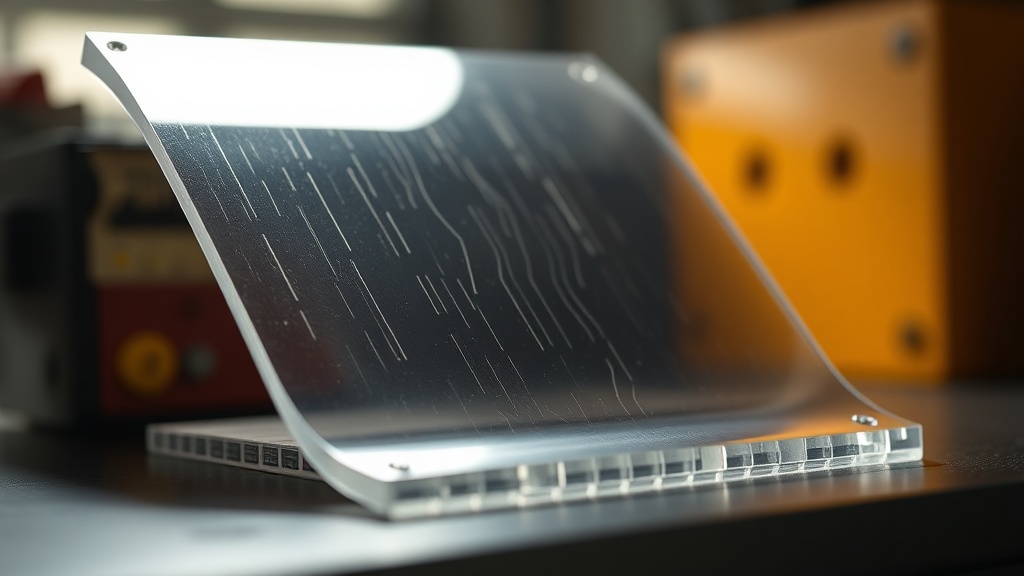
Material selection is equally critical to long-term hardware reliability. FR4 (Flame Retardant 4) is the industry-standard material for printed circuit boards due to its excellent electrical insulation properties, high mechanical strength, and demonstrated resistance to thermal stress across a wide operating temperature range. Understanding the physical and electrical properties of FR4 — including its dielectric constant, glass transition temperature (Tg), and thermal expansion coefficient (CTE) — allows a hardware diagnostics engineer to accurately assess whether PCB-level damage is a root cause of system failure or a secondary effect of another underlying fault.
Beyond PCB material science, thermal interface material (TIM) degradation is a frequently overlooked failure mode. Over time, factory-applied thermal paste between a CPU die and its heatsink dries out and loses conductivity, causing steadily worsening thermal performance that manifests as progressively more frequent throttling events. Replacing degraded TIM with high-quality compound is one of the highest-value, lowest-cost maintenance interventions available to a hardware diagnostics professional.
Professional Certification Pathways and Career Development
The CompTIA A+ certification is the globally recognized industry standard for validating the skills required of entry-level IT professionals and hardware technicians, covering hardware troubleshooting, networking fundamentals, mobile devices, and operating system management.
For engineers entering the hardware diagnostics field, CompTIA A+ serves as the essential credential that demonstrates baseline competency to employers worldwide. The certification covers a broad curriculum including hardware installation and configuration, troubleshooting methodology, network fundamentals, security concepts, and operational procedures — providing a standardized, vendor-neutral framework that applies across diverse enterprise environments.
Beyond the foundational A+ credential, experienced hardware diagnostics engineers typically pursue advanced certifications aligned with their specialization. The CompTIA Server+ certification extends hardware knowledge into rack-mounted server architecture, storage systems, and disaster recovery. For engineers working in network-adjacent hardware roles, the CompTIA Network+ provides essential context for diagnosing failures at the intersection of physical hardware and network infrastructure. Engineers focusing on data center environments often pursue vendor-specific credentials from Dell EMC, HPE, or Cisco to complement their vendor-neutral foundation.
Staying current with BIOS and UEFI firmware revisions is a non-negotiable professional discipline. Firmware updates frequently address critical hardware vulnerabilities, resolve compatibility issues with newly released components, and implement microcode patches that correct silicon-level errata. An engineer who allows firmware to fall behind risks misdiagnosing firmware-induced instability as a hardware fault — a costly and time-consuming error in enterprise support environments. Establishing a structured firmware review cadence as part of the organization’s change management process is a hallmark of mature hardware operations.
Building a Systematic Diagnostic Methodology
A repeatable, structured diagnostic methodology — progressing from symptom documentation through physical inspection, software telemetry, targeted component testing, and verified resolution — is what separates expert hardware diagnostics engineers from reactive, trial-and-error technicians.
The most effective hardware diagnostics engineers operate from a documented, systematic framework rather than intuition alone. The process begins with thorough symptom documentation: when did the failure occur, under what conditions, what error messages or codes were generated, and what recent changes preceded the event? This information dramatically narrows the diagnostic search space before a single tool is deployed.
Physical inspection follows — examining the system for visible damage, checking connector seating, verifying cable integrity, and assessing the thermal environment. Software telemetry analysis comes next, using sensor monitoring tools to review temperature logs, voltage histories, and error event records. Only after these non-destructive steps are exhausted does a skilled engineer begin swapping components — and when they do, they change only one variable at a time to maintain the integrity of the diagnostic process.
Documentation of findings, even when no fault is confirmed, is the professional standard. Trending data across multiple diagnostic sessions on the same hardware platform often reveals developing failure modes weeks before they produce an outage — transforming reactive break/fix support into proactive, predictive hardware maintenance.
Frequently Asked Questions
What is the most important first step in hardware diagnostics?
The most important first step is interpreting the results of the Power-On Self-Test (POST) — the initial diagnostic sequence executed by the BIOS or UEFI that verifies hardware integrity before the operating system loads. POST beep codes, LED indicators, and error messages provide immediate, vendor-specific guidance that narrows the diagnostic focus before any additional tools are deployed. Thorough symptom documentation should accompany POST analysis to build a complete picture of the failure context.
Which certifications are most valuable for a Hardware Diagnostics Engineer?
The CompTIA A+ certification is the globally recognized entry-point credential for hardware diagnostics professionals, validating foundational skills in hardware troubleshooting, operating systems, and networking. For career advancement, CompTIA Server+, CompTIA Network+, and vendor-specific credentials from Dell EMC or HPE provide deeper specialization. Continuous firmware and driver knowledge, while not formally certified, is equally critical to maintaining professional competency in rapidly evolving hardware environments.
How does thermal management directly impact hardware diagnostics outcomes?
Poor thermal management is one of the leading root causes of misdiagnosed hardware failures. When a system experiences thermal throttling — the automatic reduction of CPU or GPU clock speeds due to excessive heat — symptoms can mimic RAM instability, storage failures, or software bugs. Engineers who do not account for thermal performance risk replacing functional components unnecessarily. Proactive thermal monitoring using hardware telemetry tools, combined with regular thermal interface material replacement, significantly reduces diagnostic errors and extends hardware service life.
References
- CompTIA Official Site — A+ and Server+ Certification Resources
- MemTest86 — Industry-Standard RAM Diagnostic Tool
- Wikipedia — Power-On Self-Test (POST) Overview
- CompTIA A+ Certification Exam Objectives — Verified Internal Knowledge
- FR4 PCB Material Standards — Verified Internal Knowledge (IPC-4101 Standard Reference)
- Thermal Throttling and Silicon Degradation — Verified Internal Knowledge
- MemTest86 and Prime95 Stress Testing Methodology — Verified Internal Knowledge